


Zipper Lock Screen & Wallpaper
4.1179.00 Reviews
App Specs
- Version
- 2.0.4
- Updated On
- License
- Free
- Downloads
- 10,000,000+
- Developer
- Creative Apps Studio LTD
- Categories
- Personalization
- Platform
- Android, iOS
Screenshots
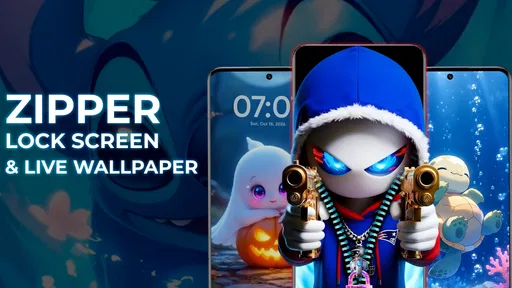
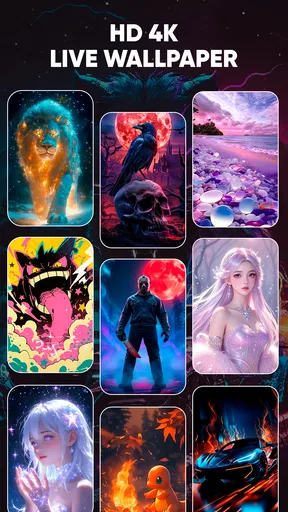
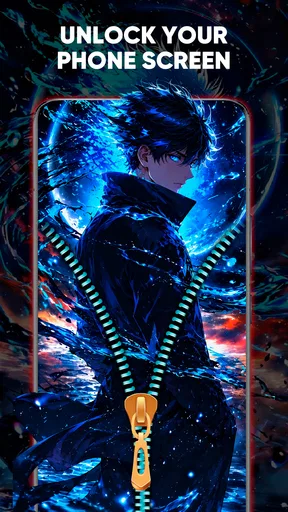
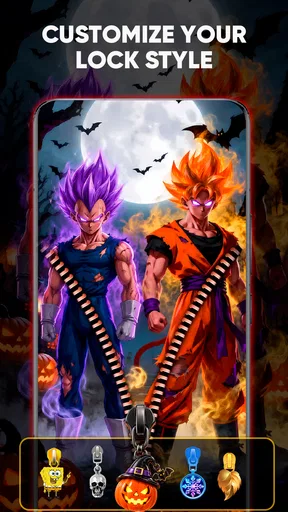
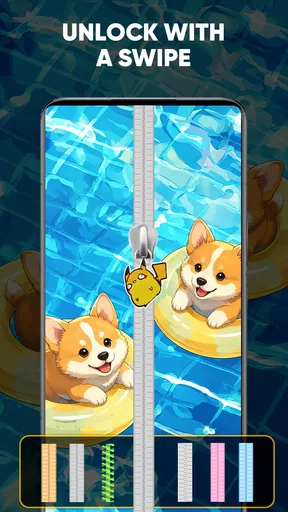
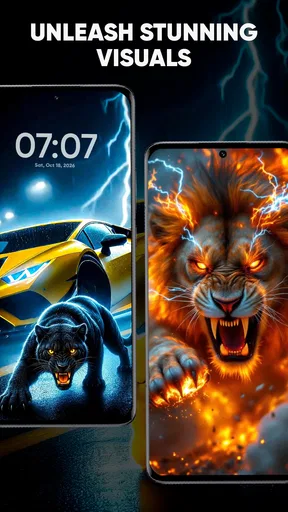
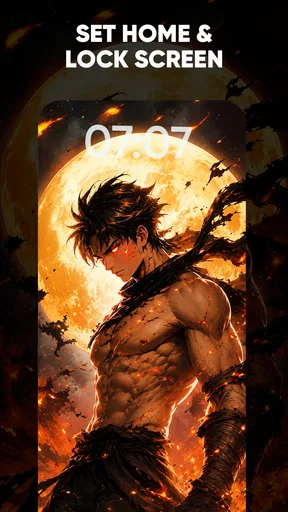
 Analysis by AppCompare
When I first tried Zipper Lock Screen & Wallpaper, I found it easier to judge as a small visual change to a daily habit than as a replacement for every part of a phone’s security. The idea is simple: give the lock screen a zipper-themed look and make unlocking feel more playful. If you already enjoy changing wallpapers and themes, that premise is appealing; if you want the fastest, least noticeable way to open your phone, the extra flourish may feel less useful.
What to expect from the zipper idea
This is a free personalization app from Creative Apps Studio LTD, built around a zipper-style lock screen and wallpaper. It has an average rating of 4.4 from around 54,000 ratings, and it has passed 10 million installs. Those figures suggest that the look has broad appeal, but they don’t tell you whether the interaction will suit your habits. I’d treat it as a decorative change first and consider the lock-screen routine separately.
The visual approach is more distinctive than choosing a still image in your phone’s standard wallpaper settings. A zipper animation gives the moment of unlocking a theme, while the wallpaper helps make the result feel like part of your device rather than a detached novelty. The payoff is small but frequent: you see it during ordinary phone checks, not only when you deliberately open a customization app.
Getting from installation to a first result
The most reassuring way to begin is to make one change at a time. Start by looking through the available zipper and background styles, then settle on a combination that remains easy to read on your screen. If you use a personal photo, choose one with a clear subject and enough open space; a busy image can compete with the zipper details and make the lock screen feel cluttered.
After choosing a look, spend a moment checking how it appears in the actual lock-screen context rather than judging it only as a preview. A design that looks striking in a gallery may be harder to read once the phone’s clock and notifications are present. My practical first goal would be modest: pick a background, choose a zipper style, and confirm that the screen still feels legible before trying several combinations.
The app is listed for Everyone and is free to install, with optional in-app purchases ranging from about fifty cents to seven dollars per item. That makes it easy to try without paying upfront, but I would explore the basic customization before considering any purchase. The current version is 1.8.0, and it requires Android 8.0 or later. Those details matter most if you are checking compatibility on an older device or deciding whether to keep the app after an initial test.
Making the lock screen work for your routine
I’d use this section to help the new lock-screen look fit the moments when you actually reach for your phone, rather than treating customization as a project that needs endless tweaking. A useful next check is whether the design stays easy to recognize when you’re in a hurry or glancing at the screen in different surroundings; that everyday test often tells me more than another round of browsing styles.
Worth Reading Before You Choose

EA SPORTS FC Mobile 26 Is a Bigger Football Game, but It Takes Time

Flipboard Shows What News Apps Must Do Beyond the Feed

Switching to Android Auto Means Rethinking Your Driving Routine

Google Calendar Makes a Crowded Week Easier to Manage

Ludo King Makes the Most of the Minutes Between Plans

Baby Panda World Brings Quick Play to Modern Phones, but Its Game Library Feels Busy
Customization that has a practical purpose
One of the standout features is the level of customization it offers. You can choose from a variety of zippers, backgrounds, and styles. Whether you’re into sleek designs or vibrant patterns, there’s something for everyone. And the best part? You can even use your own photos as backgrounds. This is a great way to personalize your phone and make it truly yours.
The app also allows you to tweak the zipper style and color, giving you endless possibilities to play around with. I had a blast trying out different combinations until I found the perfect match for my mood.
There is a useful trade-off here: more options are enjoyable when you like experimenting, but a lock screen is something you see repeatedly, so a design that feels exciting for a few minutes can become tiring in everyday use. I’d save a couple of combinations mentally or take note of the choices that work, then stop once the screen feels right. That keeps customization from turning into a long search for a supposedly perfect setup.
Personal photos can also change the experience in a more meaningful way than simply selecting a bright theme. A family picture, a pet photo, or a landscape you like can make the screen feel familiar, but it is worth choosing an image that does not reveal anything you would rather keep private when your phone is lying face-up. A lock-screen background is visible before you unlock, so the most personal photo is not automatically the best choice.
What unlocking feels like in daily use
Now, you might be wondering about the security aspect. Rest assured, the app doesn’t compromise on this front. It allows you to set a passcode on top of the zipper unlock, ensuring your phone remains secure. It’s a clever blend of novelty and functionality.
Performance-wise, the app runs smoothly without causing any noticeable lag. It integrates seamlessly with your phone’s system, and I didn’t encounter any bugs or crashes during my use.
Even when an interaction feels smooth, the zipper gesture is still an extra bit of ceremony compared with a quick tap or a familiar system unlock. That distinction matters most when you are carrying something, walking between tasks, or checking the phone repeatedly for short bursts. I would use the visual effect because I enjoy it, not because I expect it to make access faster.
A realistic test is to use the setup through a normal morning: check a message, put the phone away, then unlock it again a few minutes later to look at a calendar reminder. If the zipper remains pleasant after several repetitions and does not make you hesitate, it is doing its job. If you begin wishing you could skip the animation, that is a sign that the style is costing more time than it is adding enjoyment.
Security expectations and common confusion
A passcode option is a useful layer, but I would avoid assuming that a themed lock screen is equivalent to every security feature built into a phone. For sensitive information, keep relying on the device’s own security settings and understand how the app’s lock experience fits alongside them. This is especially important if you use work accounts, payment apps, or private messages and want predictable protection rather than a decorative interaction.
It is also easy to confuse “personalized” with “more secure.” A zipper animation can make the screen look different, but appearance alone does not tell you how access is protected. Take a moment during setup to understand the passcode choice and test what happens when you lock and unlock the device. If the behavior does not match what you expect, return to your phone’s normal security controls rather than relying on assumptions.
Another sensible habit is to keep the chosen design readable in different lighting. A low-contrast photo may look fine indoors and become difficult to distinguish outdoors, while a very bright background can make the screen feel harsh at night. Reviewing your selection at the times you normally use your phone is a simple check that can prevent a pretty setup from becoming an annoyance.
Ease of use and the small learning curve
Using the app is as intuitive as it gets. The interface is user-friendly, making navigation a breeze even for those who aren’t tech-savvy. Installing and setting it up is straightforward, and the app guides you through each step. It’s designed to make your life easier while adding a fun twist to your daily routine.
For a first-time user, I would resist changing every available detail right away. Choose a background first, then adjust the zipper style and color, and test the finished screen before making more edits. This order makes it easier to tell which choice improved the look and which one made it harder to use. It also gives you a clear stopping point: once you can unlock comfortably and recognize the screen at a glance, there is little reason to keep tweaking.
If your phone is shared with a child or someone who is not familiar with your setup, explain the zipper interaction and passcode behavior before handing it over. A decorative lock screen can be self-explanatory to its owner but surprising to another person. That is not a serious obstacle, just a small practical detail worth anticipating when the device is used by more than one person.
Where the free experience may frustrate
While I enjoyed the app, it wasn’t without its quirks. For instance, the advertisements can be a bit intrusive at times. But hey, that’s a small price to pay for a free app, right? If it becomes too bothersome, there’s always the option to upgrade to an ad-free version.
Also, keep in mind that while the zipper lock screen is fun, it might not be the quickest way to unlock your phone if you’re in a hurry. It’s more about the experience than speed.
Ads are particularly noticeable in a personalization app because you may open it several times while comparing looks. I would make the main design choice in one sitting rather than repeatedly returning to browse small variations. That keeps the free version practical for occasional adjustments, though anyone who dislikes interruptions should weigh that friction before making the app part of a frequent customization routine.
The usual alternative is to use the phone’s built-in wallpaper and lock-screen controls. Those are better if you want a clean background change with no new unlocking gesture to learn. A conventional wallpaper app may also suit someone who mainly wants images, while this app makes more sense if the zipper interaction itself is the attraction. The choice is less about which approach is universally better and more about whether you want a themed action every time you unlock.
Who is likely to enjoy it
I think this is a good fit for someone who likes personal touches, enjoys changing the look of a phone, and does not mind trading a little speed for a more playful routine. It can also be a nice option if you are bored with the standard lock screen and want a clear visual theme rather than a subtle wallpaper-only change. The ability to use a personal background makes the result feel less like a preset and more like a choice you made for your own device.
I would skip it if you prioritize the fastest possible access, prefer a completely minimal screen, or do not want ads while adjusting a theme. It may also be the wrong choice if your main goal is stronger security rather than a different appearance; in that case, focus on your phone’s built-in security settings. People who rarely look at their lock screen may not get enough enjoyment from the animation to justify adding another customization app.
For me, the best way to judge it is to try one restrained design and live with it through an ordinary day. If it still makes you smile when you unlock the phone after the novelty wears off, the app has earned its place. If you find yourself tapping through the effect impatiently, switching back to a standard lock screen is a perfectly reasonable outcome, not a failed setup.
Final thoughts
Overall, Zipper Lock Screen & Wallpaper is a delightful app that brings a unique twist to your smartphone experience. It’s perfect for anyone looking to add a bit of personality and fun to their device. Whether you’re a fan of customization or just want to try something different, this app is worth checking out.
So, if you’re ready to zip up your lock screen in style, give it a shot! You can easily find it on the Play Store or App Store and start transforming your phone today.
Pros
- Easy to customize themes and wallpapers.
- Smooth zipper animation adds fun.
- Intuitive user interface design.
- Low battery consumption.
- Supports multiple languages.
Cons
- Ads can be intrusive at times.
- Limited free customization options.
- Zipper sound can't be disabled.
- May lag on older devices.
- No fingerprint unlock support.
FAQs for Zipper Lock Screen & Wallpaper
What is the Zipper Lock Screen & Wallpaper app, and how does it work?
The Zipper Lock Screen & Wallpaper app is a fun and interactive way to customize your device's lock screen. It simulates a zipper effect, allowing you to 'zip' and 'unzip' to unlock your phone. You can choose from a variety of themes and wallpapers to personalize the look. The app integrates seamlessly with your existing lock screen security settings, ensuring your device remains secure.
Is the Zipper Lock Screen & Wallpaper app safe to use on my device?
Yes, the Zipper Lock Screen & Wallpaper app is designed with user security in mind. It does not interfere with your existing security settings, such as PINs or fingerprint recognition. The app requires minimal permissions and does not access personal data. Always ensure you're downloading from a reputable source to avoid any security risks.
What customization options are available in the Zipper Lock Screen & Wallpaper app?
The app offers a wide range of customization options, including various zipper styles, colors, and animations. You can also select from an extensive library of wallpapers, or use your own photos. Additionally, the app allows you to adjust the zipper sound and vibration feedback, giving you full control over your lock screen experience.
Does the Zipper Lock Screen & Wallpaper app affect battery life or performance?
The Zipper Lock Screen & Wallpaper app is optimized to be lightweight and efficient, minimizing its impact on battery life and device performance. While any app running in the background may use some resources, this app is designed to be as unobtrusive as possible. Regular updates help maintain its efficiency and compatibility with new devices.
Can I use the Zipper Lock Screen & Wallpaper app on both Android and iOS devices?
The Zipper Lock Screen & Wallpaper app is primarily available for Android devices. iOS has more restrictive customization options for lock screens, limiting the availability of such apps. However, developers are continually exploring new solutions, so it’s worth checking for updates or similar apps on the iOS platform.


